Managing your bookmarks is hard
Existing bookmark managers always end up a cluttered mess.
 The best way to stay organized
Mac and Windows are still the best at organizing your files
Bookmark OS uses Mac / Windows inspired UI to help you organize your bookmarks.

Access anywhere
Bookmark OS is a responsive website. Use it on your laptop, phone, or tablet.

Fully customizable
Choose from over 10 themes. Customize icon sizes, folder colors, list columns and more.
1. Bookmark manager
Organize, sort, and browse your bookmarks just like files on your desktop.
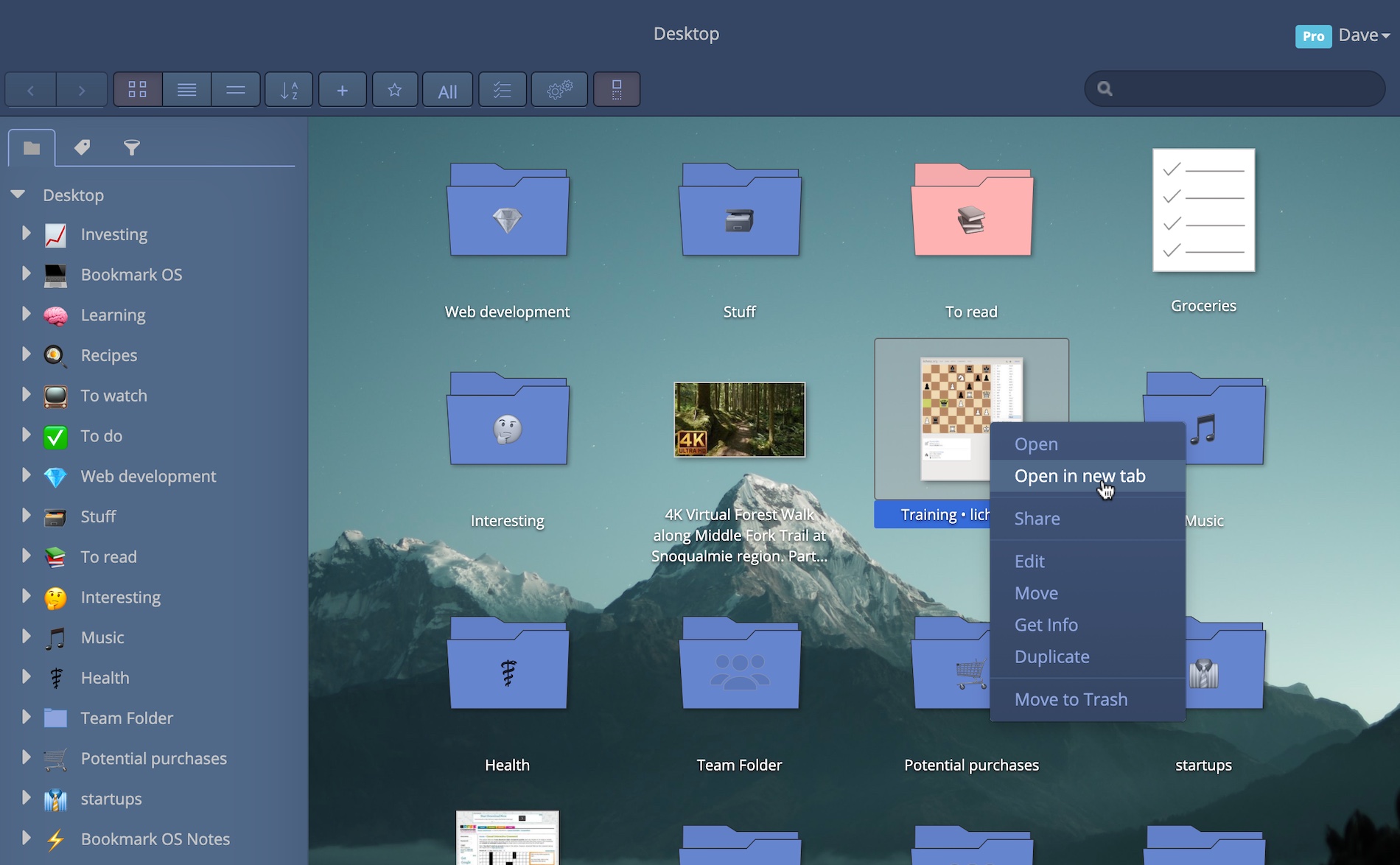
- AI powered folder suggestions:save bookmarks to the correct folder with one click.
- Visual bookmark icons:web page screenshots are used as icons, giving you a useful way to visualize your bookmarks.
- Dropbox backup:Sync a a backup copy of your bookmarks to Dropbox on weekly basis.
- Preserve web pages:UpcomingSave a full-text searchable copy of your bookmarks so you will never lose it.
- Tab manager:save all current tabs from one session to a "session" folder.
- Custom images:select an image as a bookmark icon. Perfect for recipes and products.
- Duplicate finder:Quickly delete any duplicate bookmarks.
- IFTTT integration:UpcomingConnect other apps to save bookmarks.
2. Task manager
Manage time-sensitive bookmarks as tasks alongside general to-do items.
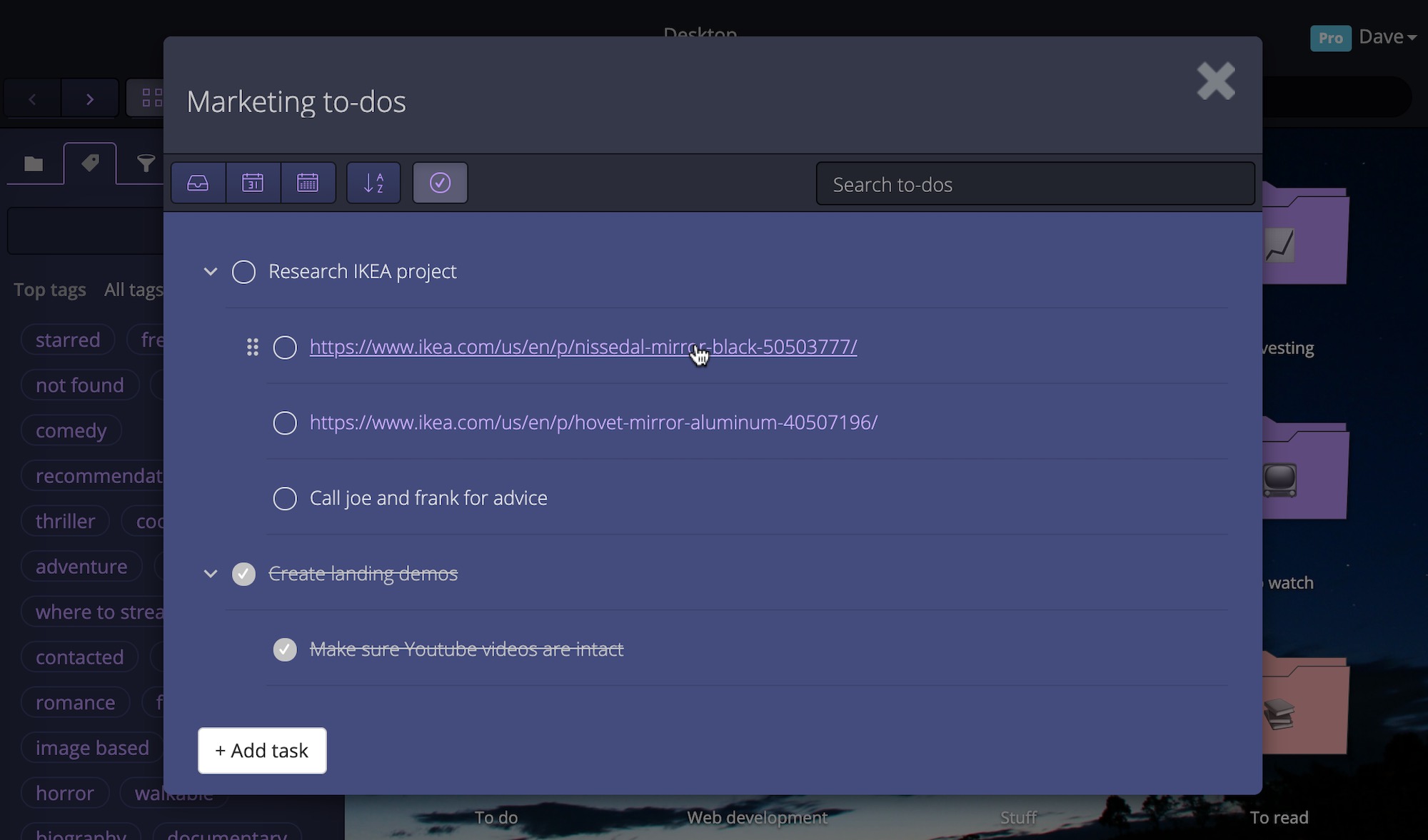
- Save bookmarks as tasks:quickly save links as tasks with due dates from the extension/bookmarklet.
- Nested tasks:easily drag and drop your tasks under other tasks for better organization.
- Quick find:search tasks and to-do lists in one simple search with autocomplete.
- Due dates:select due dates down to the hour.
- Inbox:see any overdue tasks and manage general tasks with your Inbox.
- Reminders:Upcomingget email, SMS, or browser notifications for upcoming tasks.
3. Note taking
Create one-off notes just like documents on your desktop and search everything in one place.
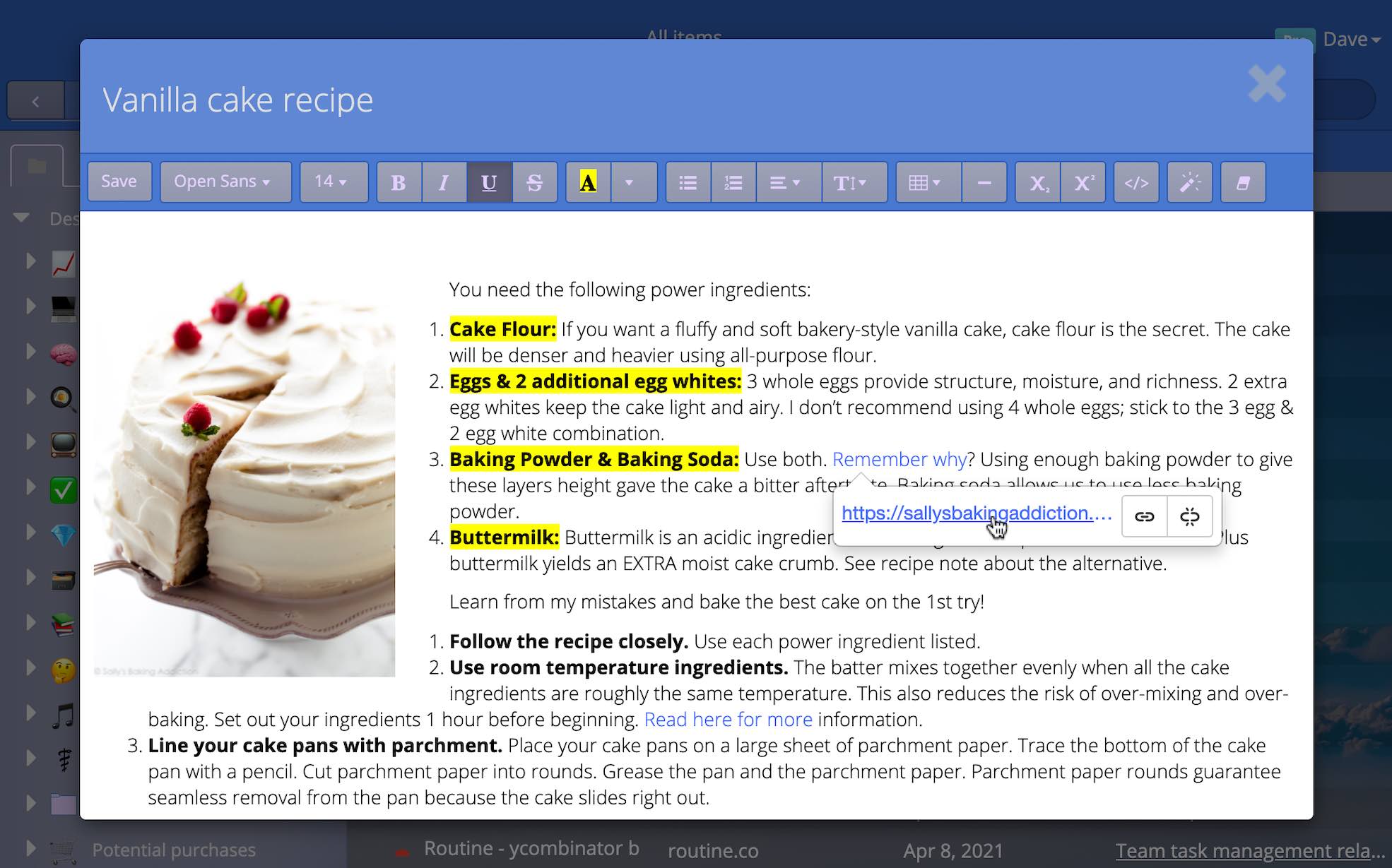
- Web clipper:paste content copied from web pages to preserve them.
- Tables:flexible tables allow you to organize structured data.
- Code blocks:easily save code snippets and useful commands.
- Smart links:easily edit link titles and hrefs with a click.
- Flexible images:images can be easily resized and floated.
- Math equationsUpcomingadd equations to your notes using LaTeX.
🌤️ Collaborate with friends on a recipe or travel folder using shared folders.
🌤️ Tackle projects of any kind by keeping project bookmarks, to-dos, and notes together in one folder.
🌤️ Create a folder for daily journal entries.
🌤️ Leverage "view all" with tags and filters together. Ex: view all starred items created in the last month.
🌤️ Visualize your recipe and product bookmarks by quickly selecting an image to use as the icon.
🌤️ Quickly jot down ideas and notes inside relevant folders.

Personal productivity zen
Everything you need to stay organized and productive.
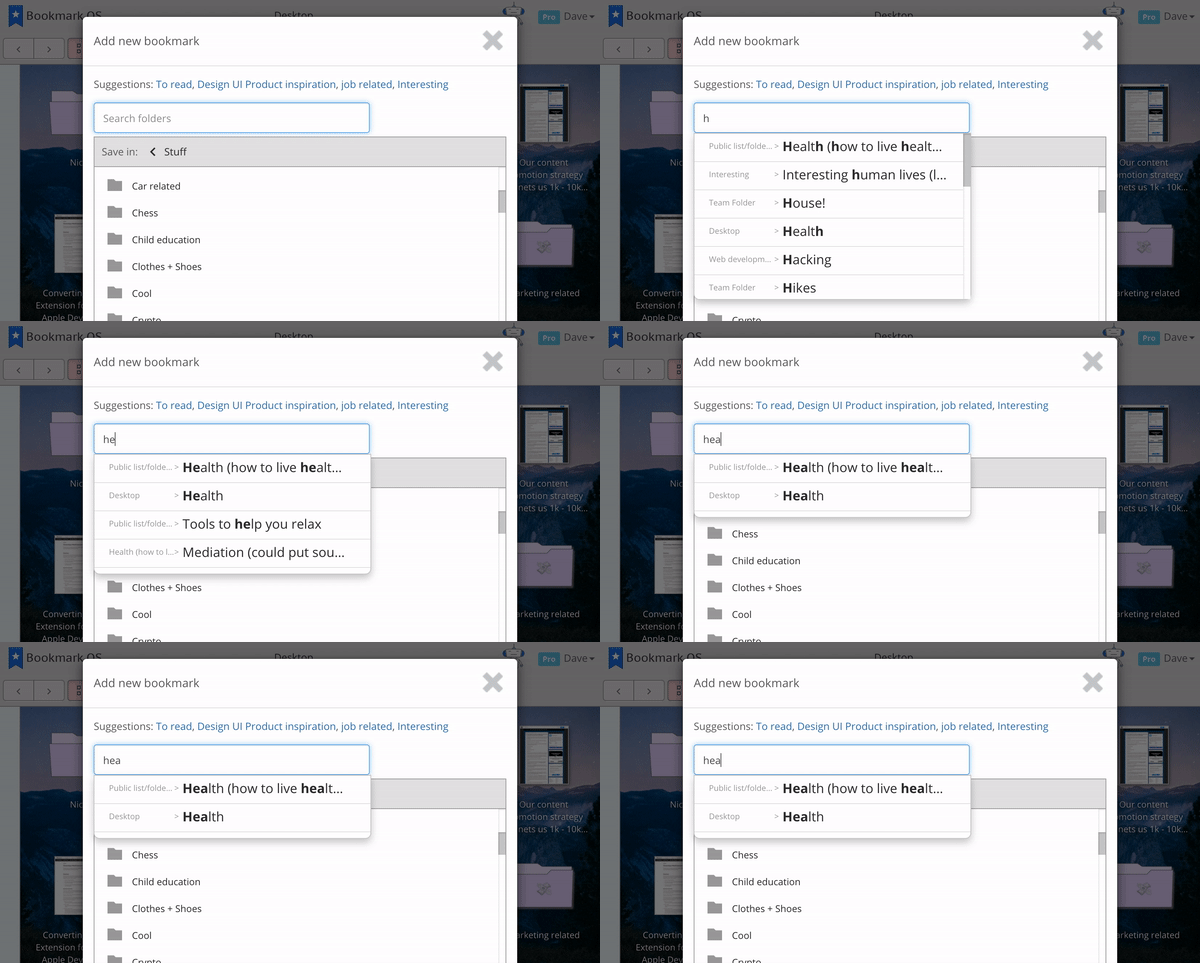
Folder search
Quickly find your target folder when saving bookmarks with autocomplete.
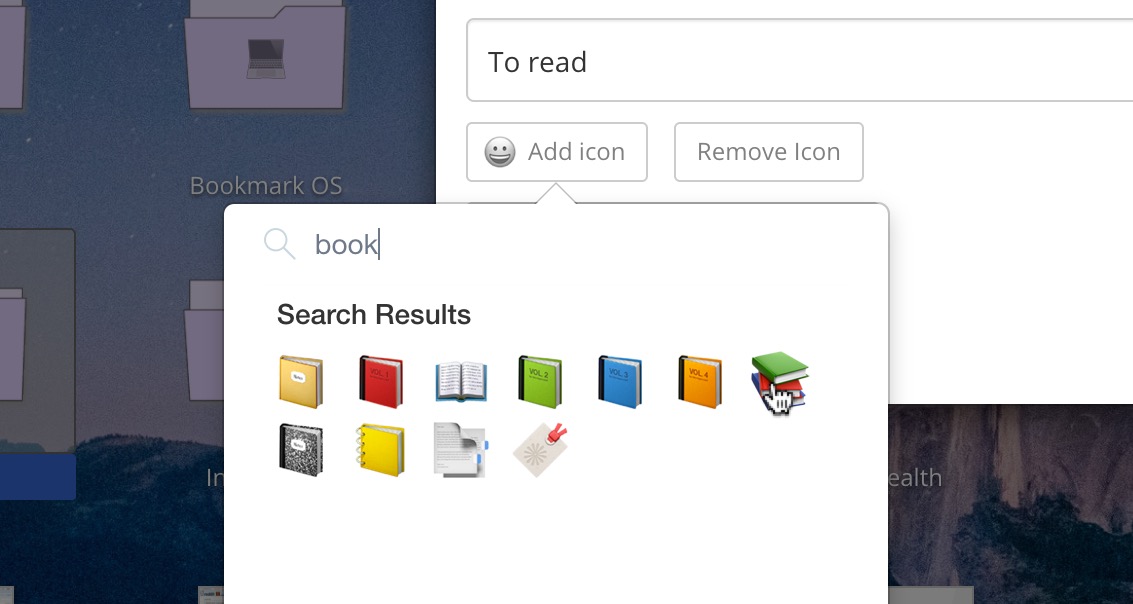
Folder icons
Beautify your folders with emoji icons and make them easier to navigate.
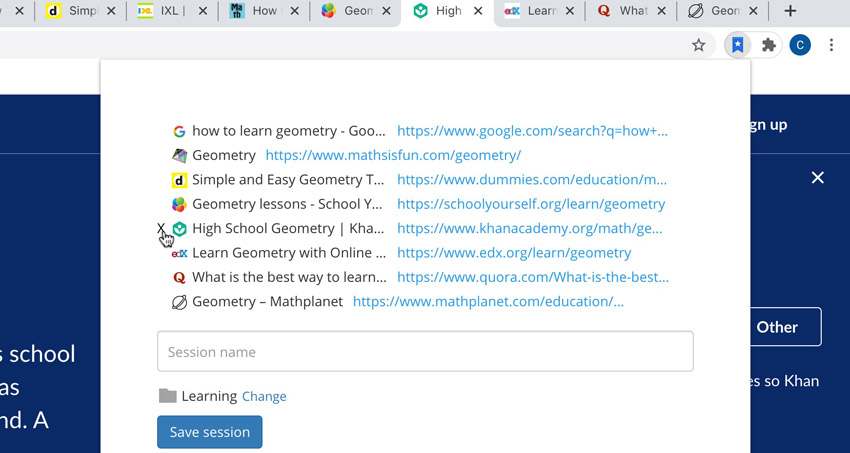
Tab management
Ever find yourself with 20 tabs open but don't want to close your browser. Save them all to a "sessions" folder!
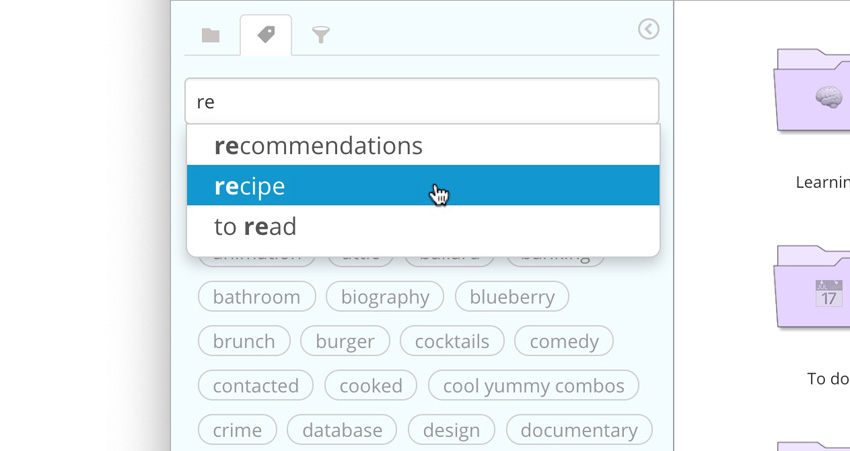
Tags
Add tags to any item and search them with autocomplete.
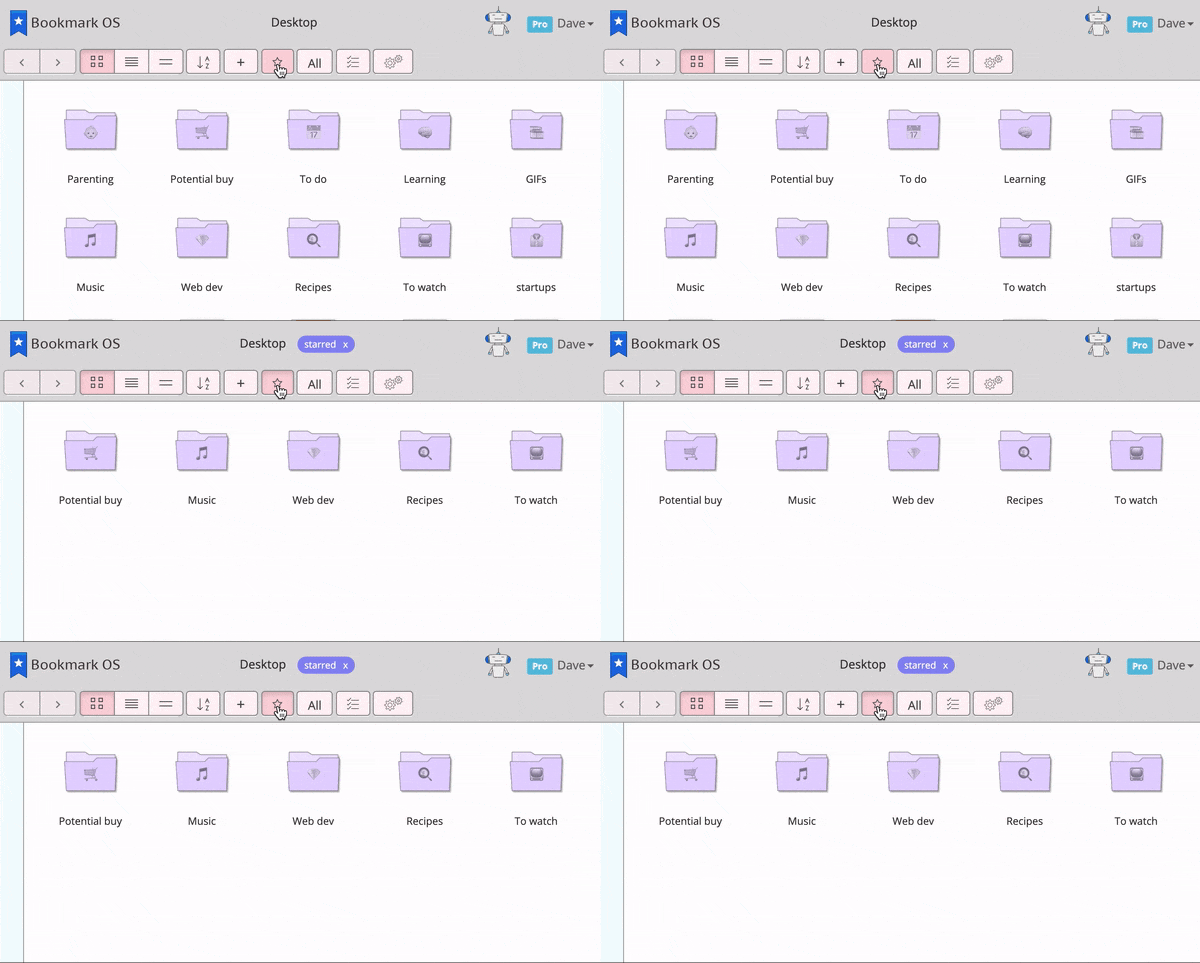
Tags are filters
If a tag filter is active, only folders that have a tagged item nested inside will show.
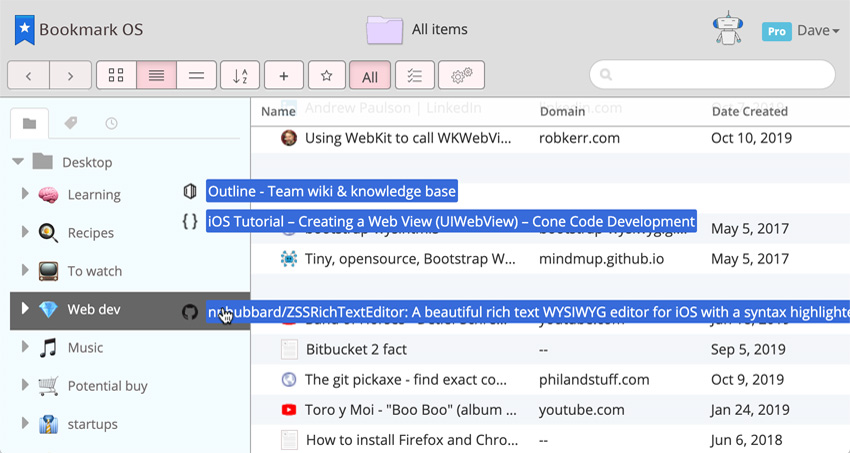
Drag and drop items
Everything feels like your desktop: drag and drop, drag to highlight items, right-click for a context menu, hold shift and click to highlight a range, sort items etc.
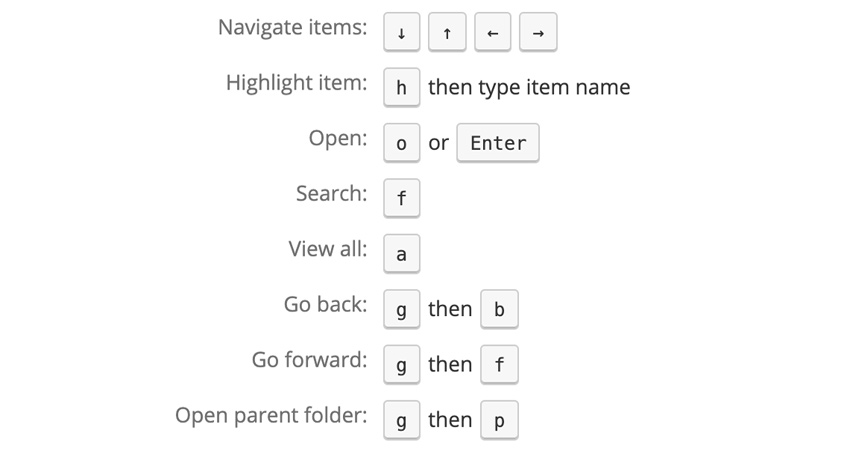
Keyboard shortcuts
Quickly navigate with keyboard shortcuts for better productivity.
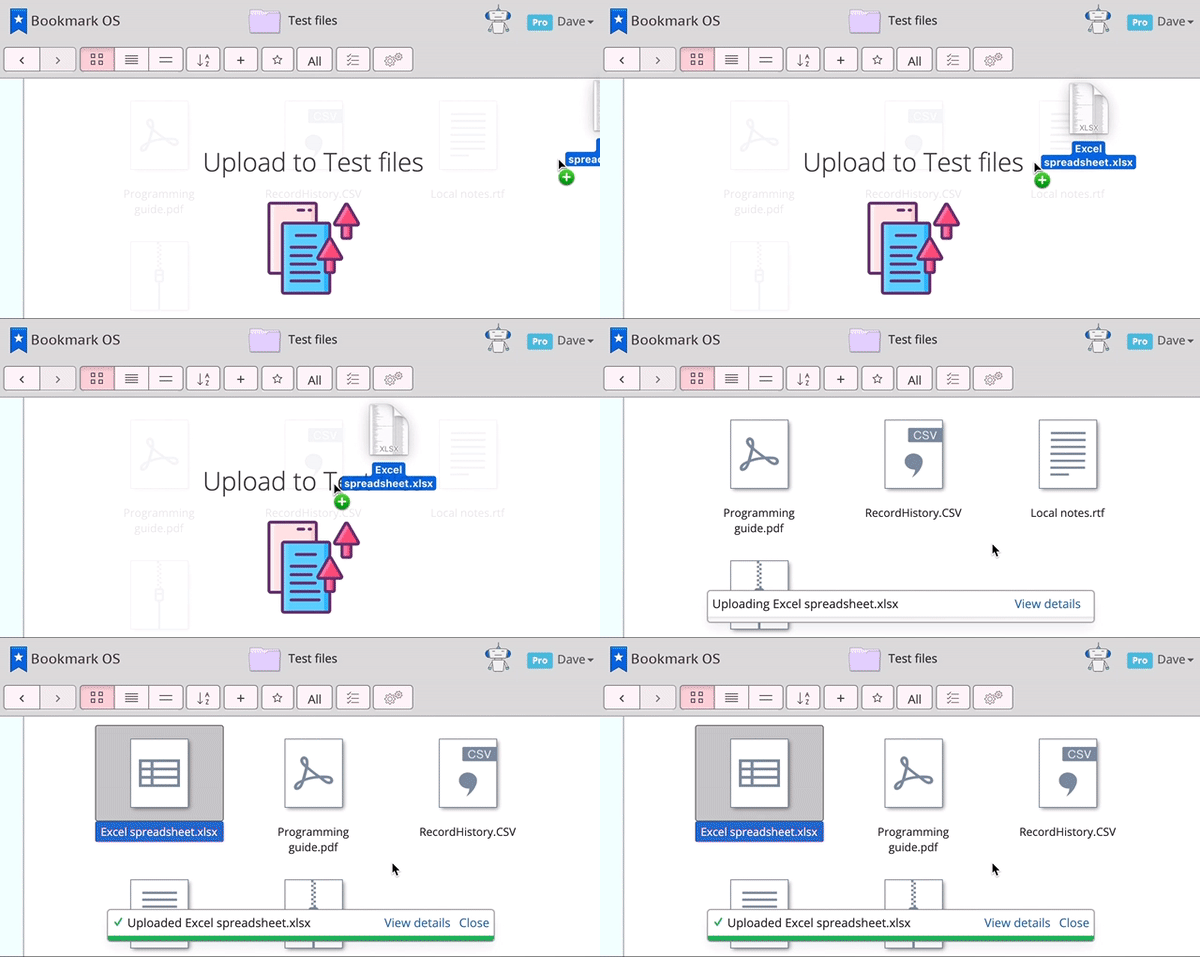
Upload files
Easily drag and drop files from your computer. Keep necessary files all in the same place.
But wait, there's more!
- Share and collaborate on folders of bookmarks
- Bookmark OS pings your bookmarks (including imports) to help clear out dead links
- Sync a backup of your bookmarks with Dropbox
- Select a range of items by holding down shift
- Import your bookmarks from any service
- Save bookmarks by email (great for mobile)
- Fix duplicates with the duplicate resolver
- There are tons of new features to come!